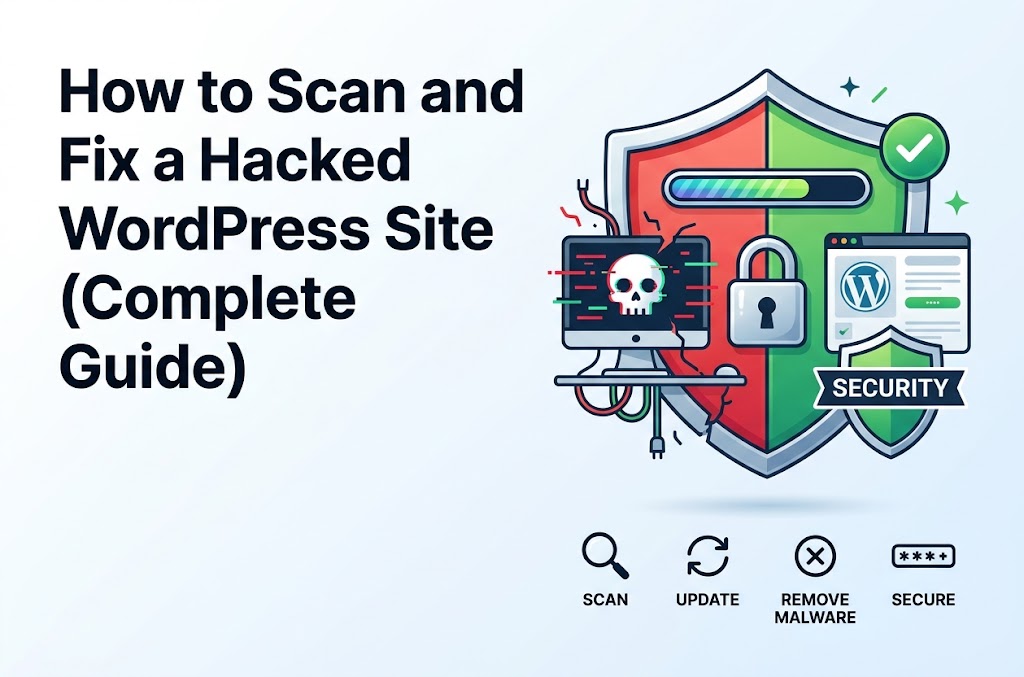
Discovering that your WordPress website has been hacked can be stressful, especially when you don’t know what was changed or how the attacker got in.
A hacked WordPress website may show obvious symptoms such as spam pages, redirects, strange administrator accounts, or browser security warnings. In other cases, the compromise can be much harder to detect and malicious code may remain hidden in files, the database, scheduled tasks, or user accounts.
The safest approach is to treat a suspected compromise as a security incident, preserve useful evidence, regain control of the site, identify and remove the malicious changes, and then fix the vulnerability that allowed the compromise in the first place.
This guide walks through that process step by step.
Important: If your website handles sensitive customer information, financial transactions, healthcare information, or other regulated data, consider involving your hosting provider or a professional security incident-response service. A complete compromise may require server-level investigation that cannot be performed from WordPress alone.
How to Tell If Your WordPress Site Has Been Hacked
Not every WordPress error means your website has been hacked.
However, the following are common indicators of compromise:
- Your website redirects visitors to an unfamiliar website.
- New administrator accounts appear that you did not create.
- Unknown posts or pages appear in WordPress.
- Your homepage has been replaced or modified.
- Search results contain spam pages that you never published.
- Your hosting provider reports malicious activity.
- Google Search Console reports a security issue.
- Visitors receive malware or phishing warnings.
- Unexpected JavaScript or iframes appear on your pages.
- Files have been modified without your knowledge.
- Plugins or themes contain unfamiliar files.
- Your website sends unexpected emails.
- Your WordPress password suddenly stops working.
- Your server shows suspicious login or file activity.
WordPress recommends documenting the symptoms and timing of the incident before beginning the cleanup process. This can help you understand what happened and can be useful when working with your hosting provider or a security professional.
Before You Start: Don’t Immediately Delete Everything
One of the biggest mistakes after discovering a hacked website is immediately deleting suspicious files or restoring an old backup without first understanding what happened.
Before making major changes, document what you see.
Write down:
- When you first noticed the problem
- What changed
- Which pages are affected
- Whether the WordPress dashboard is accessible
- Whether unknown users exist
- Whether your hosting provider contacted you
- Whether Google Search Console reports a security problem
- Any suspicious URLs
- Recent plugin/theme installations or updates
- Recent WordPress or PHP changes
If possible, take screenshots.
This information can help you identify the original attack vector and determine whether the compromise has been completely removed.
Step 1: Contact Your Hosting Provider
If you believe your site has been compromised, contact your hosting provider early in the process.
Your hosting provider may have access to:
- Server logs
- PHP error logs
- Web server logs
- Malware scanners
- Account-level security tools
- File-change monitoring
- Backup snapshots
- Firewall logs
They may also be able to determine whether other websites under the same hosting account were affected.
This is particularly important on shared hosting because a compromised hosting account can potentially affect more than one installation.
WordPress also recommends checking with your hosting provider when dealing with a suspected compromise.
Step 2: Create a Backup Before Cleaning the Site
If the website is still accessible, create a backup of:
WordPress files
wp-admin/
wp-includes/
wp-content/
wp-config.php
.htaccess
Database
Create a complete database backup.
If possible, keep the backup somewhere separate from the hosting account.
For example:
Website backup
├── files/
└── database.sql
Why back up an infected website?
It may seem strange to back up a hacked website.
However, the compromised copy can contain useful evidence.
It may help you determine:
- Which files were modified
- When files changed
- What malicious code was added
- Which users were created
- How the attacker may have gained access
WordPress recommends maintaining backups and taking a snapshot before beginning cleanup because the compromised environment may contain information useful during investigation.
Do not treat a compromised backup as a known-clean backup.
Step 3: Put the Site Into Maintenance Mode If Necessary
If the website is actively serving malicious content, consider temporarily taking it offline while you investigate.
This is especially important if visitors are being:
- Redirected
- Served malicious scripts
- Shown spam pages
- Sent to phishing websites
- Presented with browser security warnings
The exact approach depends on the type of compromise.
For a business-critical website, coordinate with your hosting provider before taking the site offline.
Step 4: Scan the Website
There isn’t one scanner that can identify every type of compromise.
A useful investigation can involve multiple layers:
Remote scanner
A remote scanner checks what an external visitor can see.
WordPress security scanner
A security plugin can inspect files and WordPress-specific indicators from inside the installation.
Server-level scanning
Your hosting provider may have access to tools that can inspect the entire hosting account.
Manual inspection
Experienced developers can inspect modified files, logs, database records, users, cron jobs, and other areas that automated scanners may not fully explain.
WordPress recommends using both remote and application-level scanning approaches when investigating a compromise.
Step 5: Check Google Search Console
If Google has detected hacked content, Search Console may show a security issue.
Open:
Google Search Console → Security & Manual Actions → Security Issues
Look for warnings related to:
- Hacked content
- Malware
- Phishing
- Unwanted software
- Deceptive pages
Google notes that hacked sites can contain injected code or newly created spam/malicious pages that aren’t always obvious to the site owner.
Don’t request a security review until you’ve actually cleaned the problem.
Step 6: Check WordPress Administrator Accounts
Open:
Users → All Users
Look for accounts you don’t recognize.
Pay particular attention to users with:
Administrator
privileges.
For example, if your website normally has:
nasir — Administrator
editor1 — Editor
and you suddenly find:
admin-new — Administrator
support123 — Administrator
investigate those accounts.
Do not assume every unfamiliar account is malicious. Some plugins, hosting systems, or developers may legitimately create users.
Verify each account before deleting it.
Step 7: If You Cannot Access WordPress Admin
If an attacker has locked you out, you may need to regain access through another route.
Depending on your situation, you may be able to:
- Use the normal password reset system
- Ask your hosting provider for assistance
- Use phpMyAdmin
- Use WP-CLI
- Temporarily disable a problematic plugin
- Restore access through another administrator account
If a fatal error prevents access, WordPress Recovery Mode may provide a special login link that temporarily pauses the faulty plugin or theme for your session.
If an administrator account has been compromised, don’t just reset that one password. Treat the entire site’s access credentials as potentially exposed.
Step 8: Change All Important Passwords
After a compromise, change credentials for every important access point.
This can include:
- WordPress administrators
- Hosting control panel
- SFTP/FTP
- SSH
- Database users
- Email accounts associated with the site
- CDN accounts
- DNS provider
- Cloud services
- Git repositories
- Third-party APIs
Use unique passwords for each service.
Do not reuse the same password between WordPress and your hosting account.
WordPress specifically recommends addressing access control across WordPress, hosting, FTP/SFTP, database, and other access points rather than changing only one WordPress password.
Step 9: Regenerate WordPress Security Keys
WordPress uses authentication keys and salts in wp-config.php.
They look similar to:
define( 'AUTH_KEY',         '...' );
define( 'SECURE_AUTH_KEY',  '...' );
define( 'LOGGED_IN_KEY',    '...' );
define( 'NONCE_KEY',        '...' );
define( 'AUTH_SALT',        '...' );
define( 'SECURE_AUTH_SALT', '...' );
define( 'LOGGED_IN_SALT',   '...' );
define( 'NONCE_SALT',       '...' );
After a compromise, regenerate these values using the official WordPress salt/key generator and replace the existing values.
This invalidates existing WordPress login sessions.
That is important because changing a password alone does not necessarily address every active authentication session.
WordPress specifically recommends regenerating the secret keys after a compromise to force existing sessions to log out.
Step 10: Check wp-config.php
Inspect:
wp-config.php
Look for anything you did not intentionally add.
Pay attention to:
- Unexpected
includestatements requirestatements- Remote URLs
- Unknown constants
- Obfuscated PHP
- Unexpected database configuration changes
- Code appended to the beginning or end of the file
For example, be suspicious of code that suddenly appears as:
include( 'some-unexpected-file.php' );
or:
require_once( '/tmp/something.php' );
However, don’t delete unfamiliar code blindly.
Some legitimate WordPress configurations contain custom constants or includes.
Compare the file against a known-good version or ask your hosting provider/developer to review it.
Step 11: Check .htaccess
The .htaccess file is particularly important on Apache-based hosting.
Look for unexpected:
- Redirect rules
- Rewrite rules
- PHP handlers
- Remote resources
- Encoded content
- Rules targeting specific visitors or referrers
A hacked .htaccess file can cause behavior such as:
example.com/page/
        ↓
unknown-site.example
It can also be used to redirect only certain visitors while showing normal content to the site owner.
This makes the compromise harder to notice.
If your .htaccess file has been modified, compare it with a known-good version rather than simply copying an example from the internet.
Step 12: Check Recently Modified Files
One of the most useful investigation techniques is checking which files changed around the time the compromise occurred.
If you have SSH access, you can use commands such as:
find . -type f -mtime -7
This finds files modified within approximately the last seven days.
You can adjust the number:
find . -type f -mtime -2
or:
find . -type f -mtime -30
The exact command and available options depend on your server environment.
Important
A recently modified file is not automatically malicious.
WordPress updates, plugin updates, cache systems, deployments, backups, and normal maintenance also modify files.
Use timestamps as evidence, not as proof.
Step 13: Check WordPress Core Files
If WordPress core files have been modified, the safest approach is usually to replace them with clean copies of the correct WordPress version.
Do not manually edit hundreds of core files trying to remove suspicious code.
WordPress documentation recommends replacing core directories such as:
wp-admin/
wp-includes/
with clean copies and carefully reviewing the files under wp-content.
Important
Do not overwrite:
wp-content/
wp-config.php
without understanding what you’re replacing.
Your themes, plugins, uploads, and customizations live under wp-content.
Step 14: Reinstall Plugins and Themes From Trusted Sources
Plugins and themes are common places to investigate after a compromise.
For each plugin, ask:
- Do I actually use this?
- Is it still maintained?
- Was it downloaded from a trusted source?
- Is the installed version current?
- Did the compromise begin after an update?
- Does the installed copy contain unexpected files?
For plugins available through the WordPress.org repository, download clean copies from the official repository.
For commercial plugins, obtain a fresh copy from the original vendor.
Avoid downloading “nulled” or modified versions of premium plugins and themes.
If you don’t need a plugin or theme, remove it rather than leaving an unused component installed.
Step 15: Be Careful With Suspicious PHP Code
During a manual investigation, you may find code containing functions such as:
eval()
base64_decode()
gzinflate()
str_rot13()
These functions can appear in malicious code, but their presence alone does not prove that a file is infected.
Some legitimate plugins and applications use encoding or dynamic PHP functionality.
Instead, investigate:
- What the code is doing
- Where it came from
- When the file was modified
- Whether the code exists in the original plugin/theme
- Whether it contacts an unknown external server
- Whether it creates files/users/redirects
- Whether the file differs from a clean copy
This distinction is important because blindly deleting code can break legitimate functionality.
Step 16: Check the Database
Malicious content isn’t always stored in PHP files.
Attackers may inject content into the WordPress database.
Check areas such as:
- Posts
- Pages
- Users
- Options
- Widgets
- Navigation menus
- Custom post types
- Plugin-specific tables
Search for unexpected:
- URLs
- JavaScript
- iframes
- spam keywords
- administrator accounts
- injected HTML
Pay particular attention to the wp_options table and any plugin-specific data that controls site behavior.
Your database table prefix may not be wp_, so don’t assume the default prefix.
Step 17: Check Scheduled Tasks and Cron Jobs
WordPress can use scheduled tasks to execute background operations.
Check:
Tools → Site Health
and any plugin-specific scheduled task interface you use.
For WooCommerce sites, for example, scheduled actions can be viewed through WooCommerce’s administration tools.
Also check server-level cron jobs if you have access.
An attacker who leaves a malicious scheduled task behind may be able to regenerate deleted files or database content after the initial cleanup.
Step 18: Check for Backdoors
A backdoor is malicious code that allows unauthorized access to the site after the original vulnerability has been exploited.
Backdoors are particularly dangerous because you can remove the visible spam or malicious page and still leave the attacker’s access mechanism behind.
Common places worth investigating include:
wp-content/uploads/
wp-content/plugins/
wp-content/themes/
wp-includes/
wp-admin/
PHP files inside the uploads directory deserve particular attention because normal media uploads are generally not PHP application files.
Again, don’t automatically delete every unexpected file. Verify what the file is and why it exists.
Step 19: Replace Rather Than Repair When Possible
If you know a plugin or theme has been compromised, replacing it with a clean copy is generally safer than manually editing suspicious files.
For example:
Old plugin
    ↓
Backup
    ↓
Remove compromised copy
    ↓
Install clean copy from trusted source
    ↓
Update configuration
    ↓
Test
The same principle applies to WordPress core.
Manual cleanup can be useful for custom code, but if you don’t know exactly what changed, rebuilding from trusted source files is often safer.
Step 20: Update Everything
Once you have cleaned the site, update:
- WordPress
- Plugins
- Themes
- PHP
- Server software where applicable
Do not immediately install every available plugin update without testing if the site is complex.
For production websites, a safer workflow is:
Backup
   ↓
Staging
   ↓
Update
   ↓
Test
   ↓
Production
Older software can contain known vulnerabilities, so keeping WordPress and its components current is an important part of preventing another compromise.
Step 21: Scan the Site Again
After cleaning:
- Run the security scanner again.
- Run a remote scan.
- Check the site manually.
- Check important URLs.
- Check the source code.
- Check redirects.
- Check administrator accounts.
- Check recently modified files.
- Check the database.
- Check server logs.
Don’t stop after the first scan reports “clean.”
The goal is to verify that the malicious behavior is actually gone.
Step 22: Test the Website Like a Visitor
Open the website in an incognito/private browser window.
Test:
- Homepage
- Main navigation
- Contact forms
- Login
- Important landing pages
- Search
- Images
- JavaScript functionality
- WooCommerce checkout if applicable
- Mobile layout
Also test from a different network or device when possible.
Some compromises use conditional redirects that behave differently depending on:
- User agent
- Referrer
- Geographic location
- Logged-in status
- Device type
So don’t rely exclusively on what you see while logged into WordPress.
Step 23: Check Google Search Console Again
After cleaning the website, return to:
Google Search Console → Security & Manual Actions → Security Issues
If Google previously reported a security problem, follow Google’s review process after you are confident the site has been cleaned.
Do not request a review while malicious content is still present.
Google specifically documents hacked content as a search-quality and security issue and provides guidance for resolving security problems.
Step 24: Find Out How the Attacker Got In
Cleaning the site is only half the job.
You also want to understand:
How did the attacker get access?
Possible entry points include:
- Vulnerable plugin
- Vulnerable theme
- Outdated WordPress
- Stolen WordPress credentials
- Stolen SFTP/FTP credentials
- Compromised hosting account
- Vulnerable custom code
- Weak administrator password
- Malicious or modified plugin/theme
- Server-level vulnerability
- Another compromised website on the hosting account
Look at:
- Access logs
- Authentication logs
- File modification times
- Plugin/theme update history
- Hosting logs
- WordPress users
- Database changes
Without addressing the original entry point, cleaning the visible malware may only provide a temporary solution.
Step 25: Scan Your Own Computer
If your WordPress, SFTP, FTP, SSH, hosting, or email credentials may have been stolen, don’t assume the website was the only compromised system.
Run a security scan on computers that are used to administer the site.
Then change the relevant credentials from a trusted device.
WordPress specifically recommends checking local environments because stolen credentials can originate from compromised computers.
Step 26: Harden the WordPress Installation
After recovering the website, improve its security.
Start with:
Use strong unique passwords
Every administrator should have a unique password.
Enable two-factor authentication
Use 2FA for administrator accounts where practical.
Remove unused plugins
If you don’t need a plugin, remove it.
Remove unused themes
Keep your active theme and any fallback theme you actually need.
Keep software updated
Regularly update WordPress, plugins, themes, PHP, and server software.
Use trusted sources
Download plugins and themes from reputable sources.
Maintain backups
Keep multiple backups and store at least one independently from the hosting account.
Restrict access
Only give administrator privileges to people who actually need them.
WordPress’s hardening guidance also emphasizes access control, backups, and maintaining a secure installation.
A Practical WordPress Malware Recovery Checklist
Use this checklist when responding to a suspected compromise:
[ ] Document the symptoms
[ ] Record when the problem started
[ ] Contact the hosting provider
[ ] Create a backup of files
[ ] Create a database backup
[ ] Save relevant logs
[ ] Check Google Search Console
[ ] Run a remote security scan
[ ] Run a WordPress security scan
[ ] Check administrator accounts
[ ] Change WordPress passwords
[ ] Change hosting/SFTP/SSH credentials
[ ] Change database credentials if necessary
[ ] Regenerate WordPress salts/keys
[ ] Inspect wp-config.php
[ ] Inspect .htaccess
[ ] Check recently modified files
[ ] Check WordPress core
[ ] Replace compromised core files
[ ] Reinstall compromised plugins/themes
[ ] Check wp-content/uploads
[ ] Check the database
[ ] Check scheduled tasks
[ ] Look for backdoors
[ ] Update WordPress
[ ] Update plugins
[ ] Update themes
[ ] Update PHP where appropriate
[ ] Scan again
[ ] Test the site as a visitor
[ ] Check Search Console again
[ ] Identify the original attack vector
[ ] Enable stronger security controls
[ ] Maintain clean independent backups
When Should You Restore From a Backup?
Restoring a known-clean backup can be an effective recovery method, but only if you are confident the backup predates the compromise and is trustworthy.
For example:
May 1   → Clean backup
May 5   → Plugin vulnerability exploited
May 10  → Hack discovered
A May 1 backup may be useful.
But if you don’t know when the attacker gained access, an apparently clean backup may already contain the compromise.
Also remember that restoring the website without fixing the original vulnerability can result in the site being compromised again.
When Should You Hire a Security Professional?
Consider professional assistance if:
- The site keeps becoming infected after cleanup.
- You cannot determine the entry point.
- Multiple websites are compromised.
- The server itself may be compromised.
- Sensitive customer information may have been exposed.
- Payment information may be involved.
- The hosting provider has suspended the account.
- Google continues reporting a security problem after cleanup.
- You don’t have sufficient access to investigate the server.
- You find sophisticated or heavily obfuscated malware.
- You suspect the attacker still has persistent access.
A professional incident-response provider or experienced hosting security team may have access to server logs and forensic information that isn’t available from WordPress.
Common Mistakes to Avoid
Deleting suspicious files without a backup
You may destroy evidence or remove legitimate functionality.
Restoring an old backup without fixing the vulnerability
The same vulnerability can be exploited again.
Changing only the WordPress password
Other credentials may also have been exposed.
Assuming a security plugin guarantees protection
Security plugins can detect and block many threats, but no single security tool guarantees that a site cannot be compromised.
Installing another “security” plugin without investigating
Adding more software doesn’t necessarily solve the underlying vulnerability.
Downloading nulled plugins or themes
Modified software from untrusted sources can contain malicious code.
Removing only the visible spam
A visible hacked page may be only one symptom of a deeper compromise.
Requesting a Google review too early
Make sure the site is actually clean before asking Google to review a security issue.
Frequently Asked Questions
Can a hacked WordPress site be recovered?
Yes. Many compromised WordPress websites can be recovered, although the correct approach depends on the type and extent of the compromise.
Should I delete the entire WordPress installation?
Not necessarily. Rebuilding from clean sources can be appropriate in some cases, but deleting everything without first preserving backups, logs, and evidence can make investigation more difficult.
Can WordPress security plugins remove malware?
Some security plugins can identify and remove certain types of malicious files, but automated scanning should be considered one part of a broader investigation.
How do I know if my WordPress site is still hacked?
Look for continued redirects, unexpected users, modified files, injected content, suspicious server activity, recurring malware, security warnings, and unexplained changes after cleanup.
Run another scan after cleaning and review relevant logs.
Can changing my WordPress password remove a hacker?
Changing the password can prevent further access through that particular credential, but it does not remove malicious code or other compromised credentials. After a compromise, review all access points and regenerate WordPress authentication keys.
Can a hacked website get removed from Google?
A hacked site can receive security warnings or have hacked content indexed. Google Search Console can report security issues, and you should clean the site before requesting a review.
Should I reinstall WordPress after a hack?
Not always. Replacing compromised core files with clean copies is often appropriate. Plugins, themes, custom code, and the database require separate investigation.
How can I prevent my WordPress site from being hacked again?
Keep WordPress and its components updated, use strong unique credentials, enable two-factor authentication, remove unused software, use trusted plugins/themes, restrict administrator access, monitor the site, and maintain reliable backups.
Final Thoughts
A hacked WordPress website should be treated as a security incident rather than simply a broken website.
The visible problem—such as a redirect, spam page, or modified homepage—is often only one part of the compromise.
A proper recovery process should include:
- Documenting what happened
- Preserving backups and useful evidence
- Scanning the website
- Checking users, files, and database content
- Removing malicious changes
- Replacing compromised software with clean copies
- Changing all potentially exposed credentials
- Regenerating WordPress authentication keys
- Finding the original entry point
- Hardening the website
- Scanning and testing again
Most importantly, don’t stop after making the website look normal again. The real goal is to understand how the attacker gained access and prevent the same vulnerability from being exploited again.
A clean website combined with strong access controls, regular updates, reliable backups, and ongoing monitoring gives you a much better foundation for keeping WordPress secure.