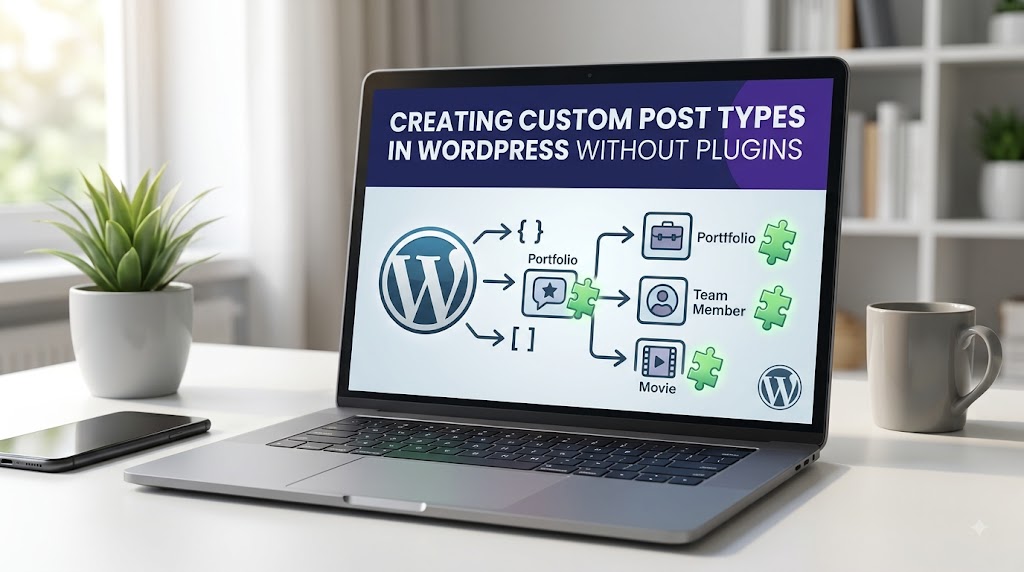
WordPress, by default, offers several post types such as posts and pages. However, as a developer or site owner, you might need more specific content types to better organize and manage your site’s content. This is where custom post types come into play. Custom post types allow you to create unique content types that are tailored to your specific needs, such as portfolios, testimonials, or even recipes. But, how do you create these custom post types without relying on external plugins? In this article, we will delve into the world of custom post types, exploring why you might need them, how to create them, and tips on preventing common issues.
Introduction to Custom Post Types
Custom post types are a powerful feature in WordPress that allows you to create new post types beyond the standard posts and pages. They are useful for creating content that doesn’t fit into the traditional post or page format. For instance, if you’re running a movie review website, you might want a custom post type for “Movies” where you can store specific details like the director, release year, and genres. This not only helps in organizing your content better but also enhances the user experience by providing a more structured layout for your content.
Why Create Custom Post Types Without Plugins?
While there are numerous plugins available that can help you create custom post types, doing it manually without relying on plugins has its advantages. Firstly, it reduces the overhead of additional plugins, which can improve your site’s performance. Secondly, it gives you full control over the code, allowing for deeper customization and integration with other parts of your WordPress site. Lastly, understanding how to create custom post types manually is a valuable skill for any WordPress developer, as it opens up a wide range of possibilities for customizing and extending WordPress.
What Causes This Issue
The need to create custom post types often arises from the limitations of the default post types in meeting specific content requirements. For example, if you’re building a real estate website, using the default post type for listing properties might not be ideal because it lacks the necessary fields for property details such as price, location, and number of bedrooms. In such cases, creating a custom post type for “Properties” would be more appropriate, allowing you to tailor the content type to your needs.
Creating Custom Post Types
To create a custom post type in WordPress without a plugin, you will need to add code to your theme’s functions.php file or a custom plugin. Here’s a basic example of how to create a custom post type for “Movies”:
function register_movie_post_type() {
    $labels = array(
        'name' => __( 'Movies' ),
        'singular_name' => __( 'Movie' ),
        'add_new' => __( 'Add New Movie' ),
        'add_new_item' => __( 'Add New Movie' ),
        'edit_item' => __( 'Edit Movie' ),
        'new_item' => __( 'New Movie' ),
        'view_item' => __( 'View Movie' ),
        'search_items' => __( 'Search Movies' ),
        'not_found' => __( 'No movies found' ),
        'not_found_in_trash' => __( 'No movies found in Trash' ),
    );
    $args = array(
        'labels' => $labels,
        'public' => true,
        'publicly_queryable' => true,
        'show_ui' => true,
        'query_var' => true,
        'rewrite' => array( 'slug' => 'movie' ),
        'capability_type' => 'post',
        'has_archive' => true,
        'hierarchical' => false,
        'menu_position' => null,
        'supports' => array( 'title', 'editor', 'author', 'thumbnail', 'excerpt', 'comments' )
    );
    register_post_type( 'movie', $args );
}
add_action( 'init', 'register_movie_post_type' );
This code defines a new post type named “Movies” with its own set of labels and capabilities. The `register_post_type` function is used to register the post type, and it’s hooked into the `init` action to ensure it’s registered when WordPress initializes.
Customizing Your Post Type
Once you’ve created your custom post type, you might want to add custom fields or meta boxes to store additional information. WordPress provides the `add_meta_box` function for this purpose. Here’s an example of how to add a meta box for storing the movie’s release year:
function add_movie_meta_box() {
    add_meta_box(
        'movie_release_year',
        __( 'Release Year' ),
        'movie_release_year_callback',
        'movie',
        'side',
        'high'
    );
}
add_action( 'add_meta_boxes', 'add_movie_meta_box' );

function movie_release_year_callback() {
    $release_year = get_post_meta( get_the_ID(), 'release_year', true );
    ?>
    <input type="text" name="release_year" value="" />
    <?php
}

function save_movie_release_year( $post_id ) {
    if ( defined( 'DOING_AUTOSAVE' ) && DOING_AUTOSAVE ) return;
    if ( isset( $_POST['release_year'] ) ) {
        update_post_meta( $post_id, 'release_year', $_POST['release_year'] );
    }
}
add_action( 'save_post', 'save_movie_release_year' );
This code adds a new meta box to the “Movies” post type for entering the release year and saves the input value as post meta when the post is saved.
Prevention Tips
When creating custom post types, there are a few things to keep in mind to prevent common issues:
- Use Unique Post Type Names: Ensure that your custom post type names are unique and do not conflict with existing post types or taxonomies.
- Test Thoroughly: Always test your custom post types thoroughly to ensure they are working as expected and do not cause any conflicts with other parts of your site.
- Keep Your Code Organized: Keep your custom post type code organized and well-documented. This will make it easier to maintain and update your code in the future.
- Consider Performance: Be mindful of the performance impact of your custom post types, especially if you’re creating a large number of them. Too many custom post types can slow down your site.
Conclusion
Creating custom post types in WordPress without a plugin is a powerful way to extend the functionality of your site. By understanding how to create and customize custom post types, you can better organize your content and provide a more tailored experience for your users. Remember to always follow best practices and test your custom post types thoroughly to ensure they integrate seamlessly with your site. With the knowledge and skills outlined in this article, you’re ready to take your WordPress site to the next level with custom post types.