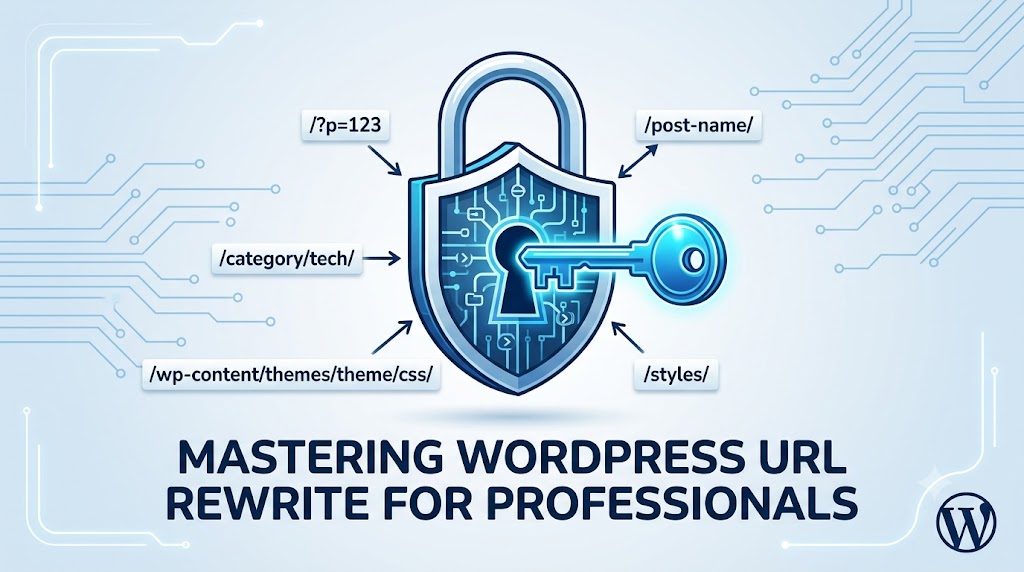
WordPress URL rewrite is a powerful tool that allows developers to manipulate and customize URLs within their WordPress websites. However, mastering this feature can be challenging, especially for beginners. In this article, we will delve into the world of WordPress URL rewrite, exploring its benefits, common issues, and step-by-step solutions to help you become a professional in this field. Whether you’re looking to improve your website’s SEO, enhance user experience, or simply tidy up your permalinks, this comprehensive guide will walk you through the process of learning and becoming proficient in WordPress URL rewrite.
Introduction to WordPress URL Rewrite
WordPress URL rewrite is a feature that enables you to modify the default URLs generated by WordPress. By default, WordPress uses a query string-based URL structure, which can be unfriendly to search engines and users alike. With URL rewrite, you can transform these URLs into clean, readable, and SEO-friendly permalinks. This feature is particularly useful when working with custom post types, taxonomies, and plugins that require specific URL structures.
Benefits of WordPress URL Rewrite
The benefits of mastering WordPress URL rewrite are numerous. Some of the most significant advantages include:
- Improved SEO: Clean and descriptive URLs can significantly enhance your website’s search engine ranking and visibility.
- Enhanced user experience: Custom URLs can make it easier for users to navigate and understand your website’s structure.
- Increased flexibility: URL rewrite allows you to create custom URLs that cater to specific plugins, themes, or business requirements.
What Causes URL Rewrite Issues?
URL rewrite issues can arise from various sources, including:
- Incorrect rewrite rules: Misconfigured or conflicting rewrite rules can lead to URL errors and broken links.
- Plugin conflicts: Incompatible or poorly coded plugins can disrupt URL rewrite functionality.
- Theme issues: Themes that are not properly optimized for URL rewrite can cause problems.
- Server configuration: Server settings, such as mod_rewrite, can affect URL rewrite performance.
Common URL Rewrite Issues
Some common URL rewrite issues include:
- 404 errors: Broken links and missing pages can occur when URL rewrite rules are incorrect or incomplete.
- URL duplication: Duplicate URLs can lead to SEO issues and content duplication.
- URL redirection: Incorrect URL redirection can cause loops, errors, or broken links.
Step-by-Step Solutions
To master WordPress URL rewrite, follow these step-by-step solutions:
Step 1: Understand WordPress Permalinks
Before diving into URL rewrite, it’s essential to understand how WordPress permalinks work. Permalinks are the permanent URLs assigned to your posts, pages, and other content. To access permalink settings, navigate to Settings > Permalinks in your WordPress dashboard.
// Example of a basic permalink structure
/%postname%/
Step 2: Use WordPress Rewrite API
The WordPress Rewrite API provides a set of functions for manipulating URL rewrite rules. You can use these functions to create custom rewrite rules, add endpoints, and modify existing rules.
// Example of adding a custom rewrite rule
function custom_rewrite_rule() {
  add_rewrite_rule('custom/([^/]+)/?', 'index.php?custom=$matches[1]', 'top');
}
add_action('init', 'custom_rewrite_rule');
Step 3: Work with Custom Post Types and Taxonomies
Custom post types and taxonomies often require custom URL structures. To achieve this, you can use the register_post_type and register_taxonomy functions, along with the Rewrite API.
// Example of registering a custom post type with a custom URL structure
function register_custom_post_type() {
  register_post_type('custom_post_type',
    array(
      'labels' => array('name' => __('Custom Post Type')),
      'public' => true,
      'rewrite' => array('slug' => 'custom-post-type'),
    )
  );
}
add_action('init', 'register_custom_post_type');
Prevention Tips
To prevent URL rewrite issues, follow these best practices:
- Test your URL rewrite rules thoroughly to ensure they are working as expected.
- Use the WordPress Rewrite API to create and modify rewrite rules.
- Avoid using hardcoded URLs in your theme or plugin code.
- Keep your WordPress core, theme, and plugins up to date to ensure compatibility with the latest URL rewrite features.
Conclusion
Mastering WordPress URL rewrite requires a deep understanding of its underlying mechanics, as well as practice and patience. By following the step-by-step solutions outlined in this guide, you’ll be well on your way to becoming a professional in WordPress URL rewrite. Remember to always test your rewrite rules, use the WordPress Rewrite API, and keep your WordPress installation up to date to ensure optimal performance and prevent common issues. With time and experience, you’ll be able to create complex URL structures, improve your website’s SEO, and enhance user experience.