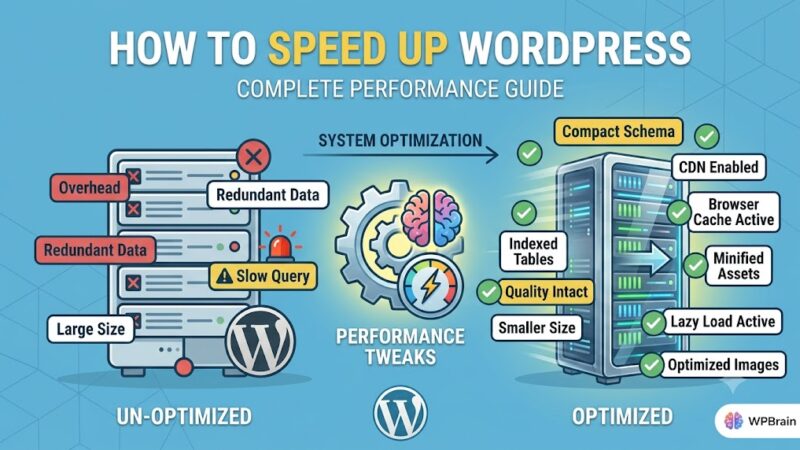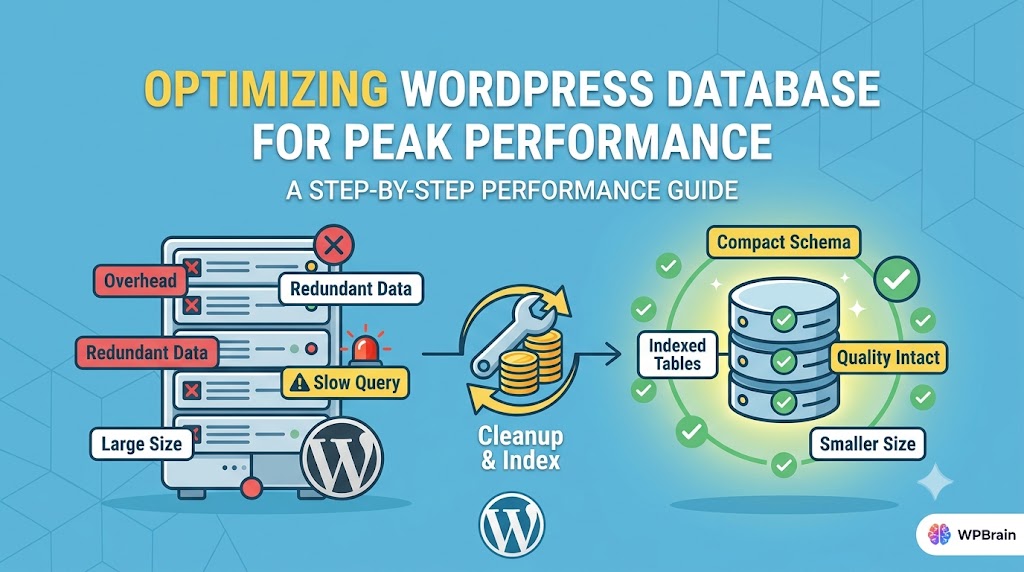
As a WordPress site grows, its database can become bloated and slow, leading to decreased performance and frustrating page loads. This is a common problem that many WordPress users face, and it’s often caused by a combination of factors, including outdated plugins, themes, and unnecessary data. In this article, we’ll explore the steps you can take to optimize your WordPress database and improve your site’s overall performance.
What Causes This Issue
There are several common root causes of a slow and bloated WordPress database. One of the most common causes is the accumulation of unnecessary data, such as old post revisions, spam comments, and unused plugins and themes. Over time, this data can build up and slow down your site’s performance. Another common cause is the use of poorly optimized plugins and themes, which can put a strain on your database and slow down your site. Additionally, a lack of regular maintenance and updates can also contribute to a slow and bloated database.
Common Symptoms of a Slow Database
If your WordPress site is experiencing any of the following symptoms, it may be a sign that your database needs to be optimized: slow page loads, frequent timeouts, and errors when trying to access the admin dashboard. You may also notice that your site is using a lot of resources, such as CPU and memory, which can lead to increased hosting costs and decreased performance.
Optimizing Your WordPress Database
Fortunately, optimizing your WordPress database is a relatively straightforward process that can be completed with a few simple steps. The first step is to clean up any unnecessary data that may be slowing down your site. This can be done using a plugin such as WP-Optimize, which allows you to easily delete old post revisions, spam comments, and other unnecessary data.
define('WP_POST_REVISIONS', false);This code snippet, added to your wp-config.php file, will disable post revisions and prevent them from being stored in your database. You can also use a plugin like WP-DB Manager to schedule regular database backups and optimizations.
Step-by-Step Optimization Guide
Here’s a step-by-step guide to optimizing your WordPress database:
- Install a plugin such as WP-Optimize or WP-DB Manager to help you clean up your database.
- Delete any old post revisions, spam comments, and other unnecessary data.
- Use the plugin to schedule regular database backups and optimizations.
- Consider disabling post revisions or limiting the number of revisions stored in your database.
- Regularly update your plugins and themes to ensure you have the latest optimizations and security patches.
Advanced Optimization Techniques
For more advanced users, there are several additional techniques you can use to further optimize your WordPress database. One technique is to use a plugin such as HyperDB, which allows you to split your database across multiple servers for improved performance. You can also use a caching plugin such as W3 Total Cache to reduce the load on your database and improve page loads.
$wpdb->query("OPTIMIZE TABLE $wpdb->posts");This code snippet, added to your theme’s functions.php file, will optimize the posts table in your database, which can help improve performance. You can also use a plugin like Query Monitor to analyze your database queries and identify any slow or inefficient queries.
Prevention Tips
To prevent your WordPress database from becoming slow and bloated in the future, there are several precautions you can take. One of the most important things you can do is regularly update your plugins and themes to ensure you have the latest optimizations and security patches. You should also regularly clean up any unnecessary data, such as old post revisions and spam comments.
Additionally, consider using a caching plugin to reduce the load on your database and improve page loads. You should also monitor your site’s performance regularly, using tools such as Google PageSpeed Insights or Pingdom, to identify any areas for improvement.
By following these prevention tips and regularly optimizing your WordPress database, you can help ensure your site remains fast and efficient, and provides a good user experience for your visitors.
Conclusion
In conclusion, optimizing your WordPress database is an important step in maintaining a fast and efficient website. By following the steps outlined in this article, you can help improve your site’s performance and provide a better user experience for your visitors. Remember to regularly clean up any unnecessary data, update your plugins and themes, and monitor your site’s performance to ensure your database remains optimized and your site runs smoothly.