A WordPress brute force attack happens when an attacker repeatedly attempts to log in by trying different usernames and passwords.
These attacks are usually automated. Bots can send large numbers of login requests without any human interaction, targeting WordPress login pages around the clock.
Even when the attacker never successfully logs in, a large number of requests can consume server resources and slow down a website.
The good news is that you can significantly reduce the risk and impact of brute force attacks by combining strong authentication, login rate limiting, two-factor authentication, monitoring, and appropriate server or WAF protection.
This guide explains how WordPress brute force attacks work, how to recognize them, and what you can do to protect your website.
What Is a WordPress Brute Force Attack?
A brute force attack is an attempt to gain access to an account by repeatedly trying different credentials.
For example, an automated bot may attempt:
admin / password123
admin / qwerty
admin / wordpress
admin / welcome
admin / summer2026
It can continue trying thousands of combinations automatically.
Attackers don’t necessarily know your password. They are attempting to find a valid combination through repeated requests.
Modern attacks may also use credential stuffing, where attackers use username/password combinations obtained from previous data breaches on other websites.
This is why using the same password on multiple websites is particularly dangerous.
Why WordPress Sites Are Targeted
WordPress is widely used, and its login system is well known.
Common targets include:
/wp-login.php
and:
/xmlrpc.php
Attackers can automatically scan large numbers of websites looking for WordPress installations and then send login attempts to them.
WordPress itself documents brute-force password guessing as one of the common categories of attacks against WordPress websites.
What Does a Brute Force Attack Look Like?
You may notice:
- Hundreds or thousands of failed login attempts
- Many requests from different IP addresses
- Large numbers of requests to
wp-login.php - Requests to
xmlrpc.php - Unexpected server resource usage
- Slow WordPress admin pages
- High CPU usage
- Large access logs
- Security plugin alerts
A typical access log might contain repeated requests such as:
POST /wp-login.php HTTP/1.1
POST /wp-login.php HTTP/1.1
POST /wp-login.php HTTP/1.1
POST /wp-login.php HTTP/1.1
The exact log format depends on your hosting environment.
Brute Force vs Credential Stuffing
These attacks are related but aren’t exactly the same.
Brute Force
The attacker systematically tries many possible passwords.
For example:
admin + password1
admin + password2
admin + password3
...
Credential Stuffing
The attacker uses username/password combinations obtained from another source.
For example:
someone@example.com + password-used-on-another-site
Credential stuffing is one reason unique passwords are so important.
A password that is strong enough to resist guessing can still be compromised if the same password was exposed somewhere else.
Why Brute Force Attacks Matter Even If They Don’t Succeed
You might think:
If nobody gets the password, what’s the problem?
There are several potential problems.
Server Resource Usage
Every request consumes some amount of server resources.
A high volume of automated traffic can increase:
- CPU usage
- PHP processes
- Database activity
- Bandwidth
- Server load
WordPress specifically notes that abusive traffic such as login brute-force attacks can increase server load.
Successful Account Compromise
If an attacker eventually obtains valid credentials, they may gain access to the WordPress account.
An administrator account can provide extremely powerful access.
Depending on the environment, an attacker with administrator privileges may be able to install plugins, modify themes, create users, change content, or introduce malicious code.
Noise in Logs
Large numbers of failed attempts can also make it more difficult to identify legitimate security events.
1. Use Strong, Unique Passwords
The first defense is a strong password.
Avoid passwords based on:
- Your name
- Website name
- Company name
- Username
- Dictionary words
- Common phrases
- Birth dates
- Easily guessed information
Use a password manager to generate a long, unique password.
For example:
Do not use:
MyWebsite2026
Instead, generate a random password using your password manager.
The important property is not simply that a password “looks complicated.”
It should be unique to your WordPress account and difficult to guess.
WordPress recommends strong passwords as a fundamental defense against brute-force attacks.
2. Never Reuse Your WordPress Password
Suppose you use the same password for:
WordPress
Email
Facebook
Hosting
Domain registrar
If one of those services suffers a credential leak, attackers may try the same credentials against your WordPress website.
Use a different password for every important service.
Your WordPress administrator password should not be reused anywhere else.
3. Enable Two-Factor Authentication
Two-factor authentication adds another layer to the login process.
Instead of:
Username + Password
you may require:
Username + Password + Second Factor
The second factor could be:
- Authenticator app
- Security key
- Passkey
- Another supported authentication method
Current WordPress documentation recommends 2FA for administrator accounts, while noting that WordPress core does not currently provide built-in 2FA by itself.
If an attacker obtains your password, the additional authentication factor can prevent the password alone from being sufficient.
4. Consider Passkeys
Passkeys are another authentication option that can provide phishing-resistant authentication.
They can use device-based authentication such as:
- Face ID
- Touch ID
- Windows Hello
- Security keys
WordPress’s current brute-force guidance lists passkeys/WebAuthn as an additional defense.
If your website supports passkeys through a maintained authentication solution, they can be worth considering for privileged accounts.
5. Limit Login Attempts
One of the most common brute-force protections is rate limiting.
For example, you could restrict how frequently login attempts can be made from the same source.
Instead of allowing:
1000 login attempts
you might configure a system to slow down or block repeated attempts.
This can be implemented at different layers:
- WordPress plugin
- Web server
- CDN
- WAF
- Hosting infrastructure
WordPress recommends rate limiting login attempts and notes that edge or server-level protection can be preferable during heavy attacks because the request can be stopped before it consumes as many WordPress/PHP resources.
6. Prefer Rate Limiting Before WordPress When Possible
There is an important difference between:
WordPress-level protection
Internet
   ↓
Web server
   ↓
PHP
   ↓
WordPress
   ↓
Security plugin
   ↓
Login request blocked
and:
Edge/server-level protection
Internet
   ↓
CDN / WAF / server rate limit
   ↓
Bad request blocked
   ↓
WordPress never processes it
During a large attack, blocking traffic before it reaches PHP can reduce the load placed on your WordPress installation.
This is one reason managed WAF/CDN services can be useful for high-volume attacks.
7. Use a Web Application Firewall
A Web Application Firewall can inspect incoming requests and apply security rules before traffic reaches your WordPress site.
Depending on the service, a WAF can help with:
- Login rate limiting
- Bot detection
- IP reputation
- CAPTCHA/challenges
- Suspicious request filtering
- XML-RPC protection
- Other malicious traffic
A WAF can be provided by:
- Your hosting company
- CDN provider
- Security service
- Server configuration
- WordPress security plugin
For brute-force protection, an edge-level WAF can be particularly useful because unwanted requests can be filtered before they consume significant application resources.
8. Protect wp-login.php
The standard WordPress login endpoint is:
/wp-login.php
It is therefore a common target for automated attacks.
You can protect it using:
- Rate limiting
- WAF rules
- 2FA
- CAPTCHA/challenges
- Login monitoring
- Strong passwords
For sites where administrator access comes from known networks, additional server-level restrictions may sometimes be appropriate.
However, be careful with IP restrictions on websites where administrators travel or use changing IP addresses.
9. Don’t Rely on Hiding the Login URL
You may see recommendations to change:
/wp-login.php
to a custom login URL.
This can reduce automated scanning noise in some situations, but it should not be treated as your primary security defense.
WordPress’s current brute-force guidance explicitly describes login URL obscurity as something that may reduce noise but should not be your only defense.
A hidden login URL does not replace:
- Strong passwords
- 2FA
- Rate limiting
- WAF protection
- Monitoring
10. Protect XML-RPC
Another endpoint frequently associated with WordPress brute-force traffic is:
/xmlrpc.php
XML-RPC allows external applications and services to communicate with WordPress.
Some legitimate services may rely on it.
For example, depending on your configuration, you may have integrations that require XML-RPC.
However, attackers can also abuse XML-RPC authentication mechanisms.
WordPress’s current security guidance specifically recommends disabling XML-RPC if you don’t need it, or restricting and rate-limiting it when you do.
Don’t blindly disable it
Before blocking XML-RPC, check whether your website uses:
- Jetpack
- WordPress mobile applications
- Other external integrations
- Legacy publishing tools
- Third-party services
If something depends on XML-RPC, completely blocking it may break that functionality.
11. Rate Limit XML-RPC
If you need XML-RPC, consider protecting it rather than automatically blocking the entire endpoint.
For example:
/xmlrpc.php
can be rate-limited at the WAF or server level.
You can also restrict specific XML-RPC methods depending on your security architecture.
The important principle is:
Protect functionality you need instead of disabling it blindly.
12. Don’t Block the Entire wp-admin Directory Without Testing
You may see security tutorials recommending password protection for:
/wp-admin/
This can provide another security layer, but it can also break legitimate WordPress functionality.
For example, WordPress uses:
/wp-admin/admin-ajax.php
for AJAX requests.
WordPress’s hardening documentation specifically warns that protecting /wp-admin/ incorrectly can break functionality such as AJAX.
If you use server-level authentication, test:
- WordPress admin
- AJAX
- REST API
- WooCommerce
- Plugins
- Front-end forms
- Media uploads
before applying the configuration to production.
13. Use CAPTCHA or Managed Challenges
A CAPTCHA or managed challenge can make automated login attacks more difficult.
Modern options may include systems such as:
- CAPTCHA
- Turnstile
- Other bot challenges
Don’t assume a CAPTCHA alone solves brute-force attacks.
A better strategy is:
Strong password
      +
2FA
      +
Rate limiting
      +
WAF
      +
Bot challenge when appropriate
Multiple layers provide better protection than one mechanism alone.
14. Remove the Default “admin” Username
If your site still uses an administrator account with the username:
admin
consider replacing it with a non-obvious username.
WordPress’s hardening guidance specifically recommends avoiding easily guessed administrator usernames such as admin or webmaster.
Don’t treat this as a replacement for strong authentication.
It simply removes one easily guessed piece of information.
15. Limit the Number of Administrator Accounts
Every administrator account is another privileged login that must be protected.
Review:
Users → All Users
Ask:
- Does this user still need administrator access?
- Is this account still active?
- Is the email address valid?
- Does this user need full administrator privileges?
Remove unnecessary accounts and reduce privileges where appropriate.
16. Use the Principle of Least Privilege
A content editor usually doesn’t need full administrator privileges.
For example:
Content writer → Author/Editor
Developer → Appropriate development access
Store manager → Appropriate WooCommerce role
Administrator → Only when required
Reducing unnecessary privileges limits the potential damage if an account is compromised.
17. Monitor Failed Login Attempts
A security plugin, WAF, hosting dashboard, or server log may show failed authentication attempts.
Look for patterns such as:
Username: admin
Username: administrator
Username: test
Username: webmaster
You may also see repeated attempts against one legitimate username.
A high number of failed attempts does not necessarily mean the site has been hacked.
It often means bots are trying to break in.
The important thing is whether your protection mechanisms are stopping them.
18. Don’t Permanently Block Every IP
You may notice thousands of different IP addresses attacking your website.
It can be tempting to maintain a huge manual blacklist.
This is usually not an efficient long-term strategy.
Modern attacks can use:
- Botnets
- Cloud infrastructure
- Rotating IP addresses
- Compromised machines
- Distributed networks
Instead, use:
- Rate limiting
- WAF rules
- Bot detection
- Temporary bans
- Login protection
- 2FA
WordPress’s current guidance also cautions against permanent country-based blocklists because they can block legitimate users and are difficult to maintain.
19. Be Careful With Country Blocking
Some websites attempt to block entire countries to reduce attack traffic.
This can work in specific environments, but it can also block legitimate visitors and administrators.
For example, a legitimate administrator may travel or use a VPN.
Country blocking should therefore be treated as a business-specific access-control decision, not a universal WordPress security requirement.
20. Keep WordPress Updated
Brute-force protection is only one part of WordPress security.
An attacker doesn’t need to guess your password if an outdated plugin provides another way into the website.
Keep current:
- WordPress core
- Plugins
- Themes
- PHP
- Server software
WordPress recommends keeping software updated because older versions may contain known vulnerabilities.
21. Protect Your Hosting Account
WordPress security doesn’t end at the WordPress login screen.
Protect your:
- Hosting account
- Domain registrar
- DNS provider
- CDN
- SFTP account
- SSH account
- Email account
Use strong, unique passwords and 2FA where available.
If an attacker gains access to the hosting account, protecting wp-login.php won’t be enough.
22. Use HTTPS
Always use HTTPS for WordPress login and administration.
HTTPS protects credentials while they are being transmitted between the browser and server.
WordPress strongly recommends secure HTTPS connections for authentication.
Your login should be:
https://example.com/wp-login.php
not:
http://example.com/wp-login.php
23. Keep Backups
Brute-force attacks don’t always result in a successful login.
But if an attacker does obtain administrator access, you need a recovery plan.
Maintain:
- Database backups
- File backups
- Off-site backups
- Tested restoration procedures
A backup won’t stop an attack, but it can significantly reduce recovery time after a successful compromise.
24. What If the Attacker Successfully Logs In?
If you discover an unknown administrator account or evidence that an attacker successfully authenticated, treat the situation as a security incident.
Don’t simply delete the suspicious account and move on.
Consider:
- Preserve an appropriate backup/forensic copy.
- Review administrator accounts.
- Change passwords.
- Rotate hosting credentials.
- Rotate API credentials where appropriate.
- Regenerate WordPress security keys.
- Review recently modified files.
- Scan the website.
- Review database changes.
- Inspect logs.
- Identify the original entry point.
- Check for persistence/backdoors.
- Harden the installation.
- Monitor the website after recovery.
For a complete recovery process, see:
How to Scan and Fix a Hacked WordPress Site
25. Check Server Logs
Server access logs can help you understand brute-force traffic.
Depending on your server, you may see requests to:
/wp-login.php
/xmlrpc.php
repeated many times.
Look for:
- Request frequency
- IP addresses
- User agents
- HTTP status codes
- Request methods
- Timestamps
For example:
203.0.113.25 - - [24/Sep/2026:21:10:11] "POST /wp-login.php HTTP/1.1" 200
203.0.113.25 - - [24/Sep/2026:21:10:12] "POST /wp-login.php HTTP/1.1" 200
203.0.113.25 - - [24/Sep/2026:21:10:13] "POST /wp-login.php HTTP/1.1" 200
The example IP is documentation-only; don’t interpret it as an actual attacker address.
Logs are useful for identifying patterns, but remember that HTTP status codes alone don’t necessarily tell you whether authentication succeeded.
26. Example: Nginx Login Rate Limiting
If you control an Nginx server, rate limiting can be implemented at the web-server level.
A simplified example is:
limit_req_zone $binary_remote_addr zone=logins:10m rate=10r/m;

server {

    location = /wp-login.php {
        limit_req zone=logins burst=20 nodelay;

        # Your normal PHP-FPM configuration goes here.
    }

}
This is an example rather than a copy-and-paste configuration for every server.
Your existing Nginx configuration, PHP-FPM setup, proxy/CDN configuration, and hosting environment must be taken into account.
WordPress’s current documentation provides Nginx rate-limiting examples for login and XML-RPC endpoints.
27. Example: Rate Limiting XML-RPC With Nginx
If your website requires XML-RPC but receives excessive traffic, the endpoint can also be rate-limited.
For example:
location = /xmlrpc.php {
    limit_req zone=logins burst=20 nodelay;

    # Your normal PHP-FPM configuration goes here.
}
Again, test this on staging before deploying it to production.
If your website depends on XML-RPC, overly aggressive limits may break legitimate integrations.
28. What About .htaccess?
Apache users may be able to use .htaccess for certain access-control rules.
However, avoid copying random brute-force blocking snippets from old WordPress tutorials.
Some older recommendations rely heavily on:
- Permanent IP blocks
- Country blocking
- Referrer rules
- Aggressive login rewrites
- Blocking entire directories
These approaches can break legitimate functionality or provide limited protection against modern distributed attacks.
Current WordPress guidance favors layered controls such as 2FA, rate limiting, WAF protection, and appropriate XML-RPC restrictions.
29. WordPress Brute Force Protection for WooCommerce
WooCommerce websites should be particularly careful when implementing login restrictions.
Customer login and administrator login are not the same thing.
If you apply aggressive rules to:
/wp-login.php
make sure you don’t unintentionally break:
- Customer accounts
- Checkout
- Password reset
- Account registration
- Payment integrations
- API integrations
For WooCommerce websites, test authentication-related changes carefully on staging.
30. Don’t Forget Password Reset
Brute-force protection isn’t only about the login form.
Attackers may also target password-reset functionality.
Make sure:
- Administrator email accounts are protected
- Password reset notifications are monitored
- 2FA protects privileged accounts
- Users cannot easily guess account information
- Unnecessary administrator accounts are removed
Your email account is particularly important because an attacker with access to an administrator’s email may be able to reset other credentials.
31. A Layered Brute Force Protection Strategy
A practical WordPress setup can look like this:
                    INTERNET
                       ↓
                 CDN / WAF
                       ↓
              Bot / Rate Limiting
                       ↓
                 Web Server
                       ↓
             Login Rate Limiting
                       ↓
                 WordPress
                       ↓
              Strong Password
                       ↓
                    2FA
                       ↓
                Admin Account
No individual layer is perfect.
The goal is to make automated attacks increasingly difficult while preserving legitimate access.
32. What You Should NOT Do
Avoid relying on these as your only security measure:
❌ Changing the login URL
Useful in some cases, but not a complete defense.
❌ Blocking one IP address
Attackers can use many IP addresses.
❌ Blocking an entire country
Can block legitimate users and administrators.
❌ Using a short complicated-looking password
Length, uniqueness, and unpredictability matter.
❌ Installing multiple security plugins that duplicate the same features
They can conflict and create unnecessary complexity.
❌ Disabling XML-RPC without checking dependencies
You may break legitimate integrations.
❌ Password-protecting /wp-admin/ without testing
It can interfere with WordPress AJAX and other functionality.
❌ Relying on a CAPTCHA alone
Combine it with authentication and rate limiting.
33. WordPress Brute Force Attack Checklist
Use this checklist to quickly review a website.
Account security
- Strong unique administrator passwords
- No reused passwords
- 2FA enabled
- Passkeys considered where appropriate
- No unnecessary administrator accounts
- No easily guessed administrator usernames
Login protection
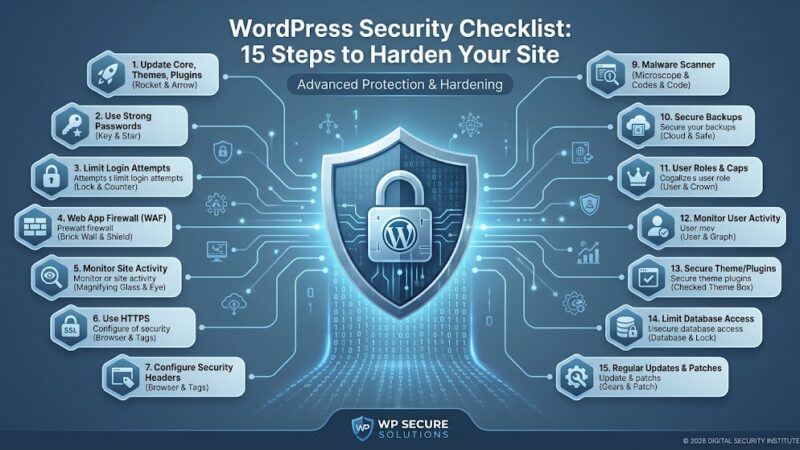
- Login rate limiting
- WAF or CDN protection where appropriate
- CAPTCHA/challenge when appropriate
- Login monitoring
- Failed login alerts
XML-RPC
- Determine whether XML-RPC is required
- Disable it if genuinely unnecessary
- Otherwise rate-limit/protect it
- Test Jetpack or other integrations after changes
WordPress
- WordPress updated
- Plugins updated
- Themes updated
- PHP supported and updated
- Unused plugins removed
- Unused themes removed
Infrastructure
- HTTPS enabled
- Hosting account protected
- SFTP/SSH secured
- CDN/WAF configured where appropriate
- Server logs available
Recovery
- Regular backups
- Off-site backups
- Backup restoration tested
- Security incident recovery plan
34. What to Do During an Active Brute Force Attack
If your website is currently receiving a large volume of login attacks:
First, don’t panic.
Failed login attempts do not automatically mean the website has been compromised.
Then:
- Confirm the traffic using logs or security monitoring.
- Make sure administrator passwords are strong and unique.
- Enable 2FA for privileged accounts.
- Check for unexpected administrator accounts.
- Enable login rate limiting.
- Configure WAF/CDN protection if available.
- Review XML-RPC usage.
- Check server resource usage.
- Monitor PHP and server logs.
- Check for successful logins or other signs of compromise.
If you find evidence of a successful unauthorized login, move from attack mitigation to incident response.
35. How to Know Whether a Brute Force Attack Was Successful
A large number of failed login attempts does not mean an attacker got in.
Look for evidence such as:
- Unknown administrator account
- Unexpected password reset
- Unknown login session
- Unexpected plugin installation
- Unexpected theme changes
- Modified files
- Unknown users
- Unexpected posts or pages
- Suspicious redirects
- New scheduled tasks
- Unexpected API credentials
- Server-side malware
If you find these signs, investigate the website as potentially compromised rather than treating it as a simple login attack.
Frequently Asked Questions
What is the most common WordPress brute force target?
The standard WordPress login endpoint, /wp-login.php, is a common target. XML-RPC can also be targeted for authentication attacks.
Can a brute force attack hack WordPress?
It can result in account compromise if an attacker successfully obtains valid credentials. Strong unique passwords, 2FA, and rate limiting significantly improve the defenses around the login process.
Does changing the WordPress login URL stop brute force attacks?
Not completely. It may reduce automated scanning and noise, but it should not replace proper authentication, rate limiting, and monitoring.
Should I disable XML-RPC?
Only if your website does not need it. If a legitimate integration requires XML-RPC, consider protecting and rate-limiting it instead of disabling it blindly.
Is 2FA enough to stop brute force attacks?
2FA is a powerful additional authentication layer, but it doesn’t stop the traffic itself. Rate limiting and WAF protection can reduce the number of automated requests reaching your website.
Should I block attackers by IP?
Temporary IP blocking can be useful, but it should not be your only strategy. Distributed attacks can originate from many IP addresses.
Can brute force attacks slow down my WordPress website?
Yes. Large volumes of requests can consume server resources. This is one reason edge/server-level rate limiting can be useful.
Does WordPress automatically block brute force attacks?
WordPress provides some built-in authentication and password protections, but comprehensive brute-force protection generally requires additional controls such as 2FA, rate limiting, WAF/CDN protection, or security tooling.
Is a security plugin required?
Not necessarily. Security plugins can provide convenient protection, but brute-force defenses can also be implemented through hosting, server, CDN, WAF, and authentication systems.
Final Thoughts
WordPress brute-force attacks are common, but they don’t have to become a serious problem for a properly maintained website.
The most important approach is to use multiple layers:
Strong unique passwords
        +
Two-factor authentication
        +
Login rate limiting
        +
WAF/CDN protection
        +
XML-RPC controls
        +
Monitoring
        +
Regular updates
        +
Reliable backups
Don’t rely on a single trick such as hiding the login page or blocking individual IP addresses.
Instead, protect the authentication process at several levels and make sure your administrator accounts are properly secured.
If you suspect that an attacker has actually gained access, don’t simply block the IP address and move on. Investigate the website, review accounts and logs, rotate credentials, scan the installation, and follow a proper recovery process.
For a broader overview of WordPress security, see our WordPress Security Checklist. If you believe your website has already been compromised, follow our How to Scan and Fix a Hacked WordPress Site guide.