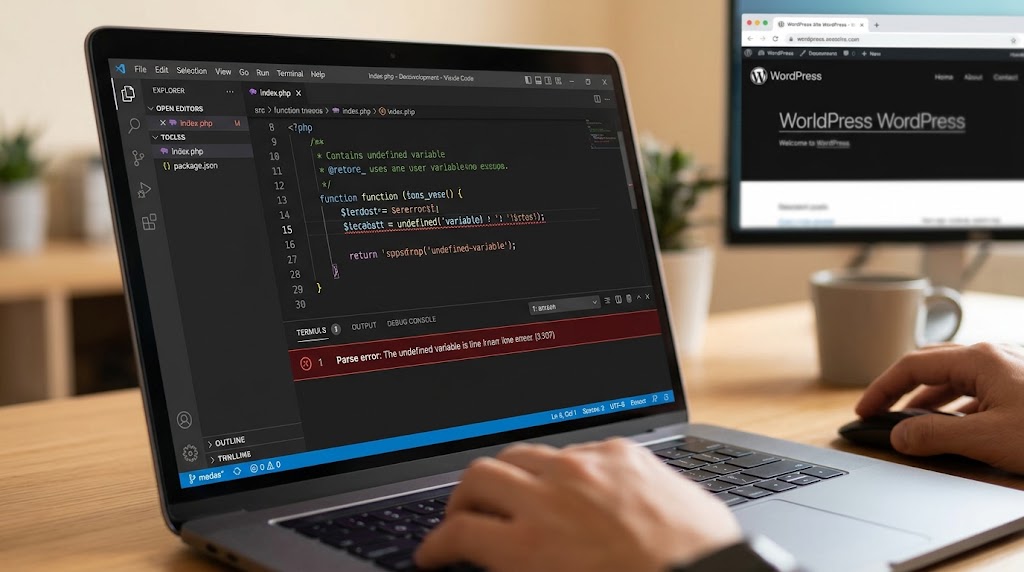
This error usually shows up as “There has been a critical error on this website”, with a line like this in the log:
PHP Fatal error: Uncaught TypeError: call_user_func_array(): Argument #1 ($callback) must be a valid callback, function "my_custom_function" not found or invalid function name in /home/user/public_html/wp-includes/class-wp-hook.php:324It looks like a WordPress core problem, because the file named is in wp-includes. It isn’t. Some plugin, theme, or snippet told WordPress to run a function on a hook, and when the hook fired, that function didn’t exist. This guide shows you how to find who registered it and how to fix it.
Why It Happens Now: PHP 8
WordPress runs everything attached to a hook through call_user_func_array() inside class-wp-hook.php. On PHP 7, a missing callback only produced a warning, and the site kept running. On PHP 8, the same mistake is a fatal TypeError that stops the page.
That’s why this error often appears the day a host upgrades PHP. The broken hook may have existed for years without anyone noticing.
Step 1: Read Which Callback Is Missing
Turn on the debug log if you haven’t already (the three WP_DEBUG lines in our critical error guide) and find the full error line. The text after “must be a valid callback” tells you what WordPress tried to call:
function "name" not found or invalid function name: a plain function that doesn’t exist.class "Name" not found: a class method was registered, but the class isn’t loaded.class Name does not have a method "method": the class exists but the method doesn’t, or it’s named differently.non-static method Name::method() cannot be called statically: the method was registered as'Name::method'orarray( 'Name', 'method' ), but it isn’t declaredstatic.

Ignore the class-wp-hook.php path and line number. They’re where WordPress tried to run the callback, not where the problem is.
Step 2: Find Where the Callback Is Registered
Search your plugins and themes for the name from the error message. The line you’re looking for is an add_action() or add_filter() that uses it.
- With SSH: from the WordPress root, run
grep -rn "my_custom_function" wp-content/. - With SFTP only: download
wp-content/plugins,wp-content/themes, andwp-content/mu-plugins, open the folder in a code editor such as VS Code, and use its search across all files. - Code snippet plugins: if you use one, check its snippets as well. Their code is stored in the database, not in files.
The search usually finds the name in two kinds of places: where the function is defined (function my_custom_function()) and where it’s hooked. If it’s only hooked and never defined anywhere, you’ve found the problem.
Step 3: Get the Site Back Up
If the hook is in a plugin, rename that plugin’s folder in wp-content/plugins/ over SFTP to deactivate it. If it’s in your theme, switch to a default theme, or comment out the add_action() line in functions.php over SFTP. The site comes back immediately. Then fix the cause.
Step 4: Fix the Cause
A typo or renamed function
The most common cause in custom code. The name in add_action() must match the function definition exactly:
add_action( 'init', 'mytheme_register_menus' );

function mytheme_register_menus() {
    register_nav_menus( array( 'primary' => 'Primary Menu' ) );
}
Your code hooks a function from another plugin
A child theme or snippet often hooks a function that belongs to a plugin or parent theme. If that plugin is deactivated, or an update renames the function, the hook breaks. Check that the function exists before hooking it:
if ( function_exists( 'other_plugin_render_box' ) ) {
    add_action( 'wp_footer', 'other_plugin_render_box' );
}
If a plugin update renamed or removed a function you relied on, check its changelog for the replacement.
Class methods registered the wrong way
A method callback must match how the method is declared:
// Inside the class, for a normal (non-static) public method:
add_action( 'init', array( $this, 'register_post_types' ) );

// For a method declared as "public static function":
add_action( 'init', array( 'My_Plugin', 'register_post_types' ) );
add_action( 'init', array( My_Plugin::class, 'register_post_types' ) );
The method must be public. A private or protected method can’t be called by WordPress. If the error says the class isn’t found, the file defining it isn’t loaded yet when the hook runs, so check the require or autoloader.
A leftover hook from a removed plugin
If you deleted a plugin but your theme, an mu-plugin, or a snippet still hooks one of its functions, remove that hook or wrap it in a function_exists() check as shown above.
Someone else’s plugin or theme
If the broken hook is inside a third-party plugin or theme, update it first, since this is often fixed in a later version. If it isn’t, report the full error line to the developer, and keep it deactivated or switch back to your previous PHP version in the hosting panel until there’s a fix.
Summary
The call_user_func_array() TypeError means a hook points to a function or method that doesn’t exist. PHP 8 made this fatal where PHP 7 only warned. Read the callback name from the error, search your plugins, themes, and snippets for where it’s hooked, then fix the name, guard it with function_exists(), register class methods correctly, or update the plugin responsible. For more on how hooks work, see our guide to WordPress hooks.